Parking has never been so easy
Haven’t you noticed that getting around the country’s streets is becoming increasingly difficult—more congestion, more restrictions?
Unfortunately, this is to be expected. In Argentina alone, more than 14 million cars are currently on the road every day. As a result, the main issue becomes evident when trying to find a place to park—especially on public streets.
And what if we also add the number of private parking facilities that take advantage of the situation by excessively increasing their prices?
Parking is becoming more and more difficult and, at times, almost impossible—turning frustration and stress into recurring problems.
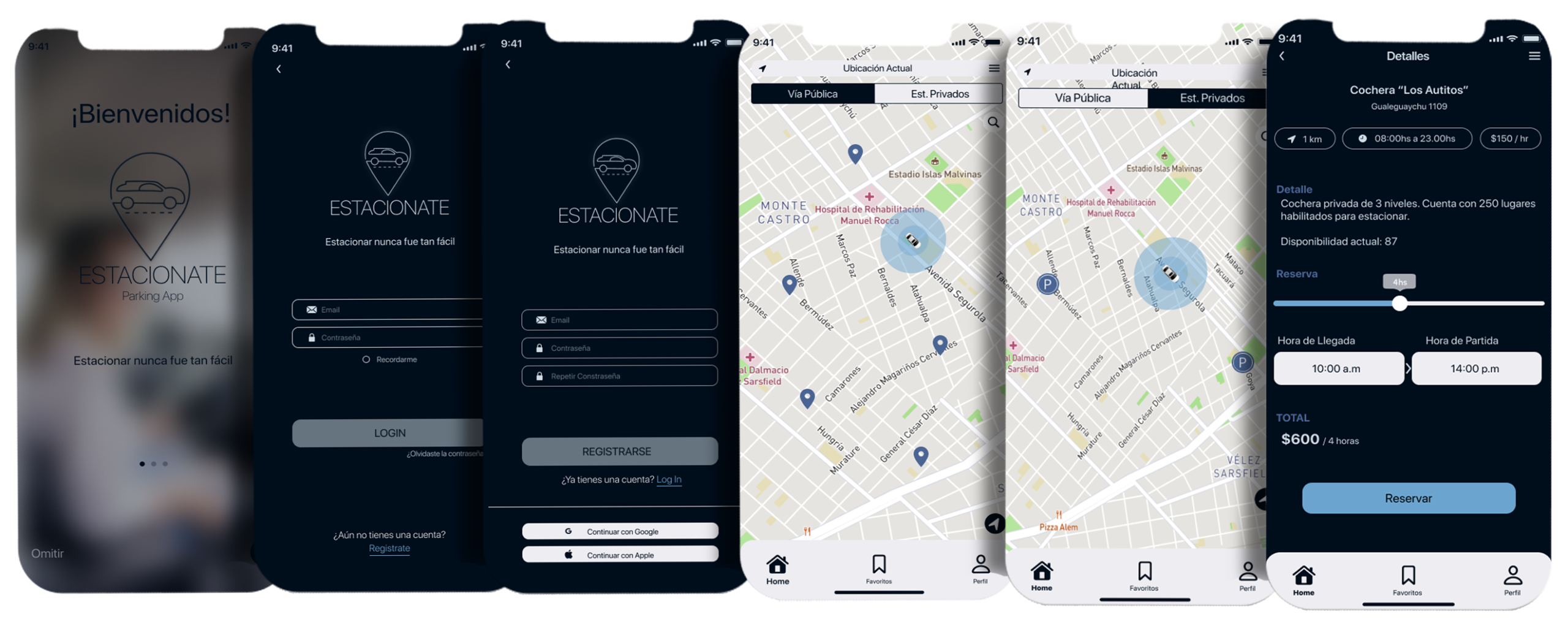
This is why ESTACIONATE was created: a tool designed to make this task easier and to offer safe, reliable alternatives for leaving your car. The app helps you find available parking spots—both public and private—quickly, comfortably, and securely.
You can optimize your time with up-to-date information on private parking facilities and public spaces, avoiding unnecessary expenses and fines. ESTACIONATE also provides reminders for location, time, and costs associated with the selected parking options.
User Personas
Quantitative interviews were conducted to define the user archetype. Based on this research, the application’s development focuses on addressing users’ real needs.
M.V.P
Minimum Viable Product. Developed to validate the project idea and determine the core features of the prototype.
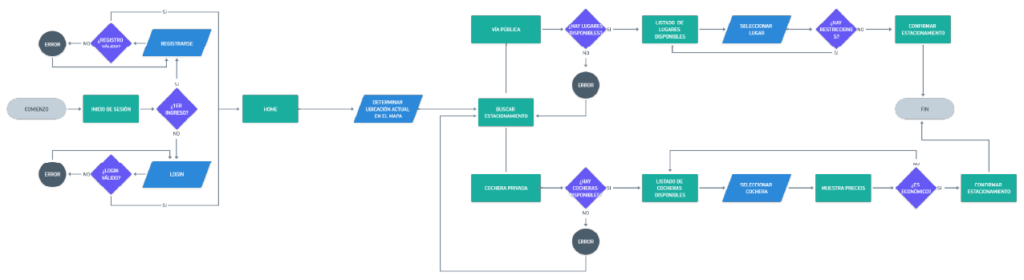
“Happy Path”
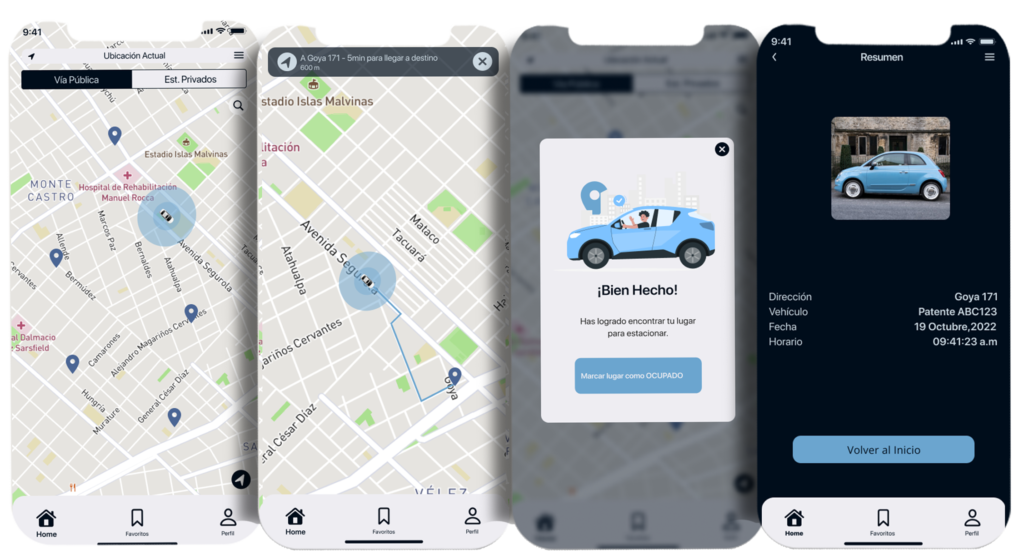
This represents the user journey from the moment they enter the app until they find a place to park.
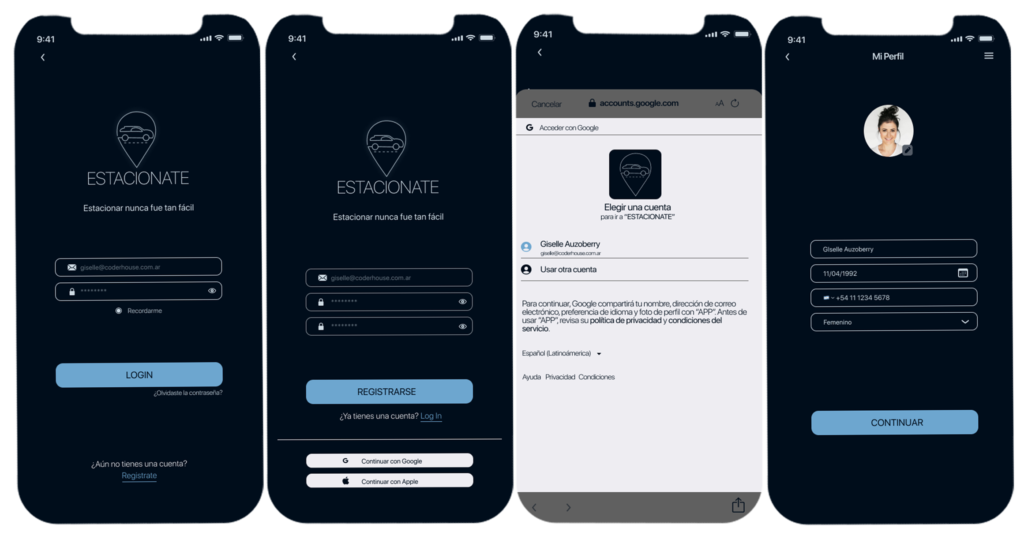
The user registers or logs in and, from the Home screen, chooses whether to park on the street or in a private parking facility. They select a location, head to their destination, and mark the spot as “Occupied” for street parking or “Reserved” for a private parking space.
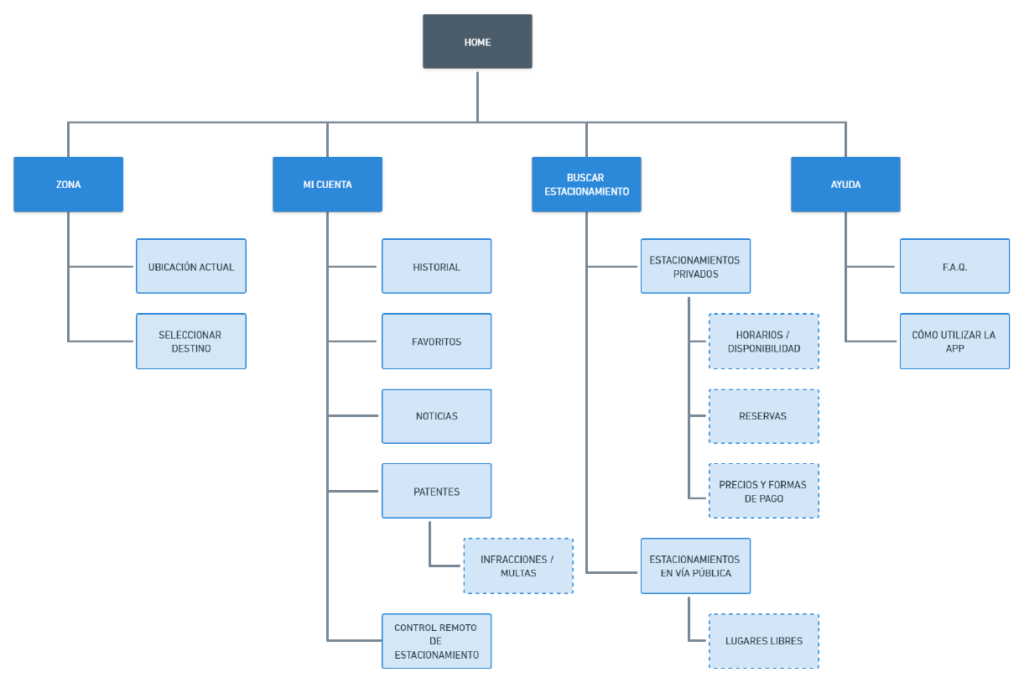
Information architecture
Organizing, prioritizing, and structuring interface content to facilitate information comprehension and support the tasks users need to complete.
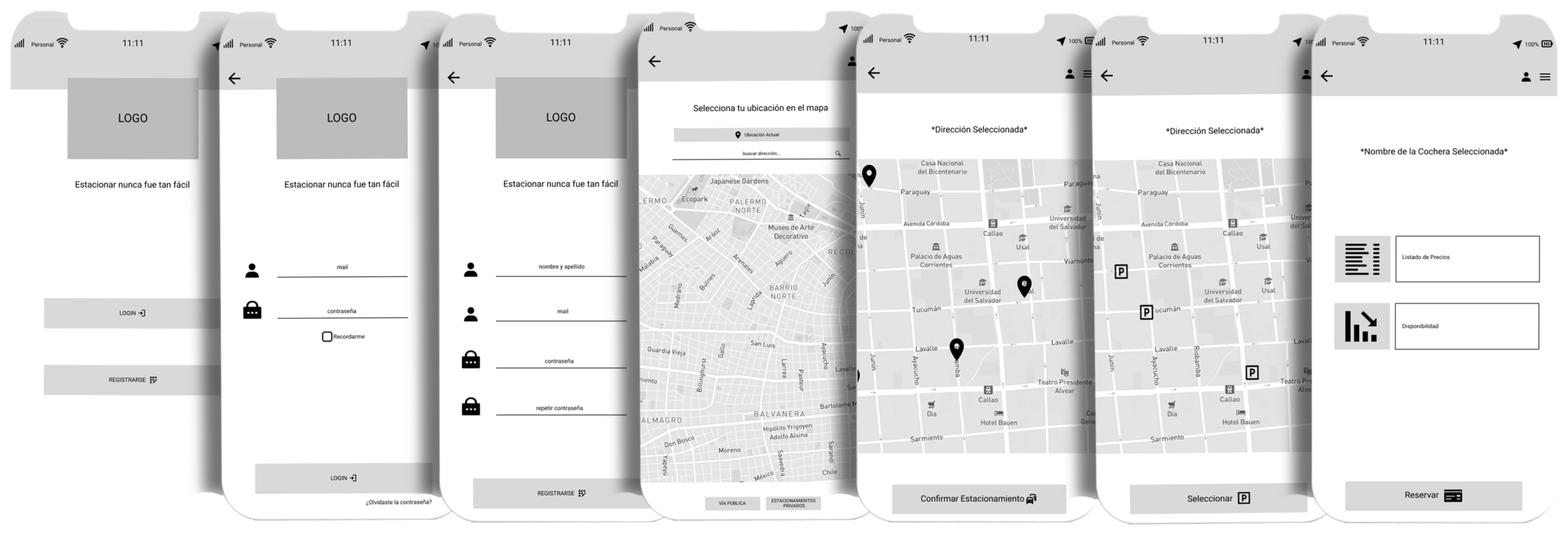
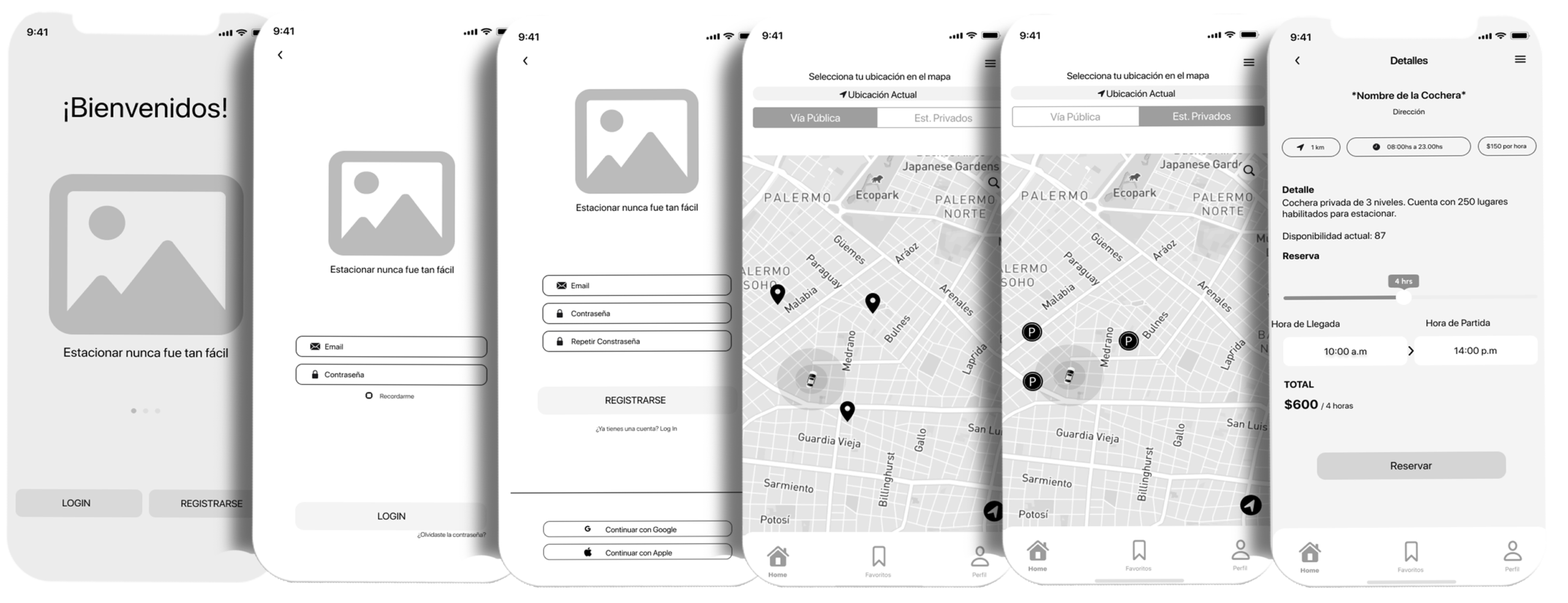
Wireframes evolution
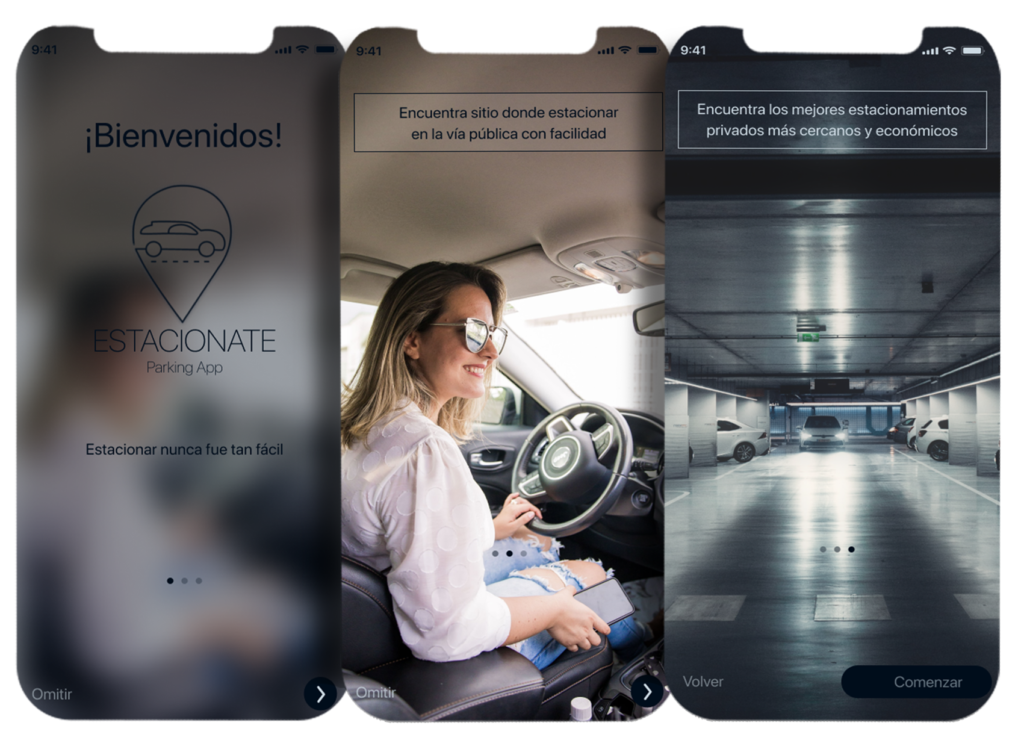
Digital wireframes | Low / medium fidelity
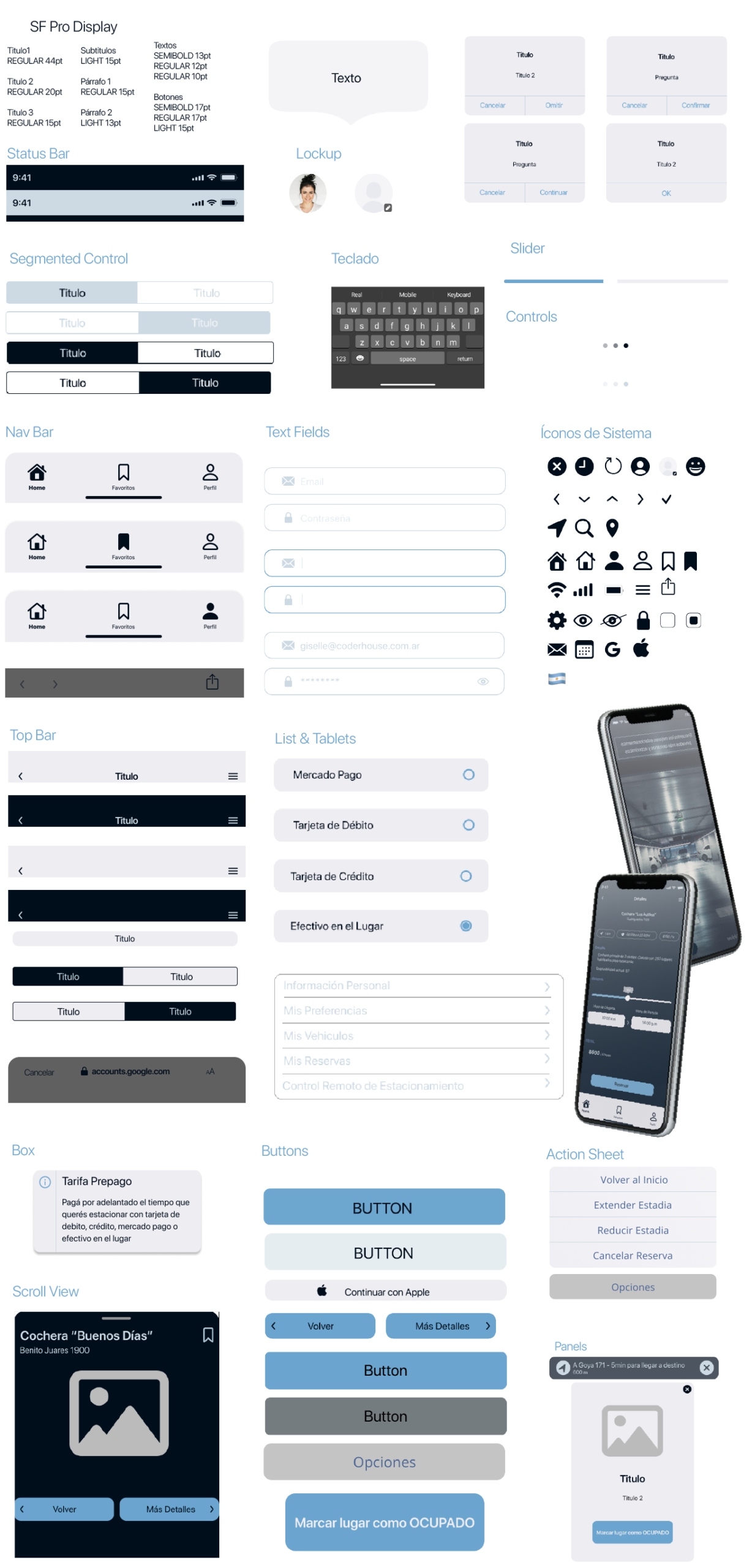
Digital wireframes | Design patterns
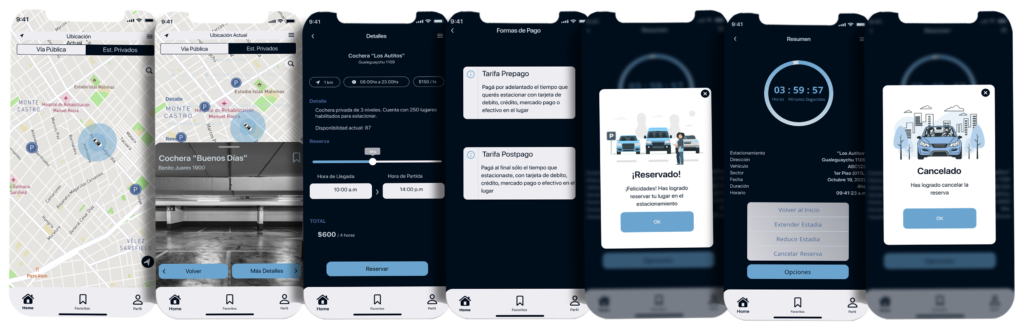
Digital wireframes | High fidelity
Usability testing
Usability testing was conducted on the interactive prototype with five participants who matched the user profile: people who drive regularly and report difficulties when trying to find parking.
Scenario
You are driving with a friend/partner on a Saturday night. You arrive at your destination but cannot immediately find a place to park. Driving around searching for a spot feels tedious, and you are also wasting time checking multiple parking garages to see if they still have availability.
sThe person with you, noticing the situation, remembers an app that was recommended for cases like this—one that provides available street parking locations as well as nearby private parking availability, along with all the necessary information.
Tasks
- Register in the app
- Find street parking
- Find parking in private garages
What worked
- Simple login and registration process
- Intuitive application
- All users found the content they expectedAll users found the content they expected
- 4 out of 5 users completed all tasks correctly and with ease
- All users agreed they would use the app in their daily lives and would recommend it
What didn’t work
- Account linking
Scroll behavior on some screens - Confusing navigation for finding street parking (icons)
- Street parking functionality was not clearly understood
- Payment options for private garage reservations need adjustment
- The summary and post-reservation flow for private garages needs improvement
Recommendations
- Add account linking options to speed up the registration process
- Remove the requirement to complete the profile immediately after registration, based on user preference
- Update the “available spots” icons on the Home screen for street parking, as they are currently confused with private garages
- Improve the summary screens after securing a parking spot (both street and private), including a clear option to exit the screen or close the app
- Add GPS guidance and estimated arrival time for street parking
- Add an option to release a spot once street parking has ended
- For private garages, add payment options both before and after the stay, as well as the ability to cancel or shorten the reservation, as suggested by all test participants
Heuristic evaluation
Interface usability quality
Match between system and the real world
Consistency and standards
Recognition rather than recall
Flexibility and efficiency of use
Aesthetic and minimalist design
Help users recognize, diagnose, and recover from errors